
A JSON column is a convenient home for a small group of user preferences, but an ordinary array leaves every caller to guess its keys, types and defaults. Spatie Laravel Data can give that flexible document one clear PHP contract without pretending JSON is the right home for every business value.
01
A JSON column solves storage, not structure
Imagine an internal portal with user preferences for timezone, locale, theme and weekly summary emails. Laravel can cast one JSON column to an array with almost no setup, and that is perfectly reasonable while the settings are small and used in one place.
The problem appears as more code depends on that array. One controller expects weekly_summary, another checks weeklySummary and an older user has no theme key. Every call site grows another fallback until the database still contains valid JSON but the application no longer agrees on what it means.
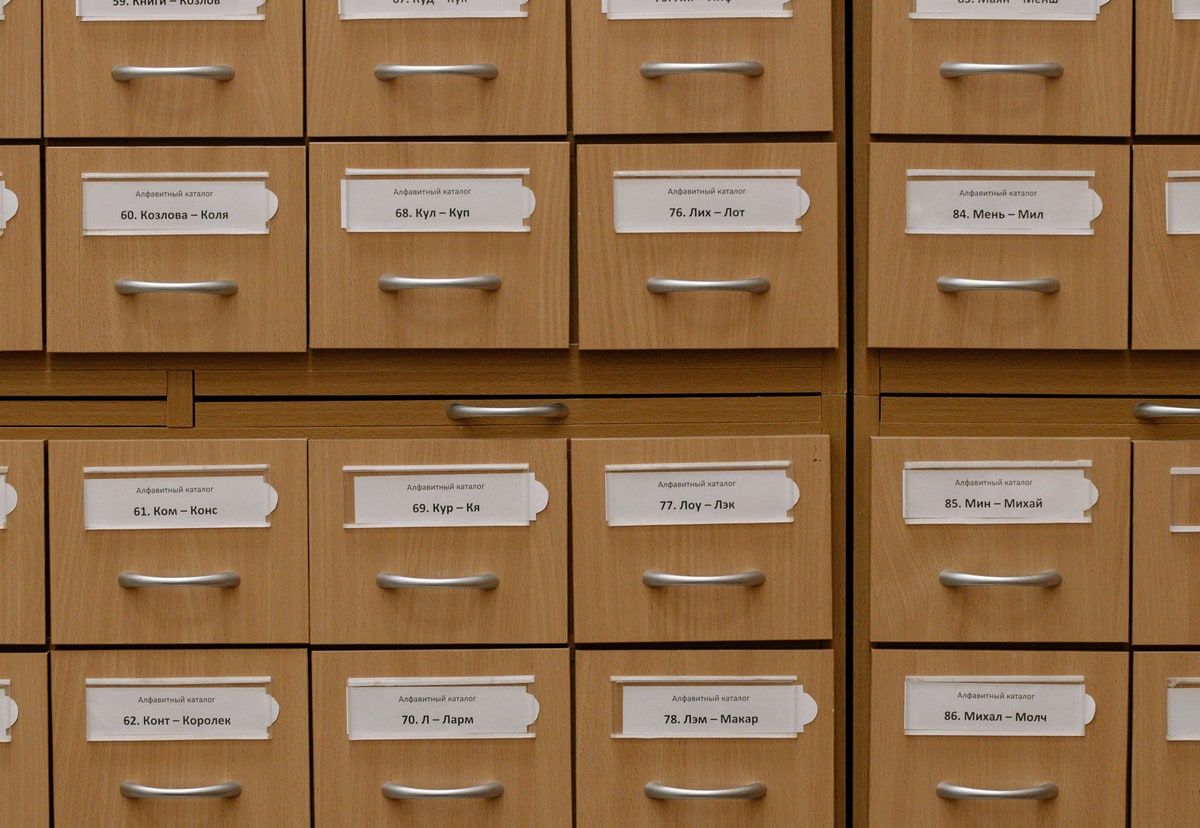
An array does not tell an editor, static analyser or future developer which keys are allowed. It does not guarantee that a theme value belongs to the set supported by the interface. It will also accept a typo with the quiet confidence of somebody filing an important document in the wrong drawer.
The storage shape is still useful. What is missing is one application-level shape.
02
Describe the supported settings once
Laravel Data objects are ordinary PHP classes that extend Spatie Laravel Data. Constructor property types describe the values the application expects, while defaults describe what should happen when a value is absent.
A UserSettings object can declare timezone and locale strings, a Theme enum and a weekly_summary boolean. That class becomes the answer to a useful question: what settings does this version of the application understand?
The answer lives in code, can be inspected by tooling and can be tested directly. If a new developer opens the class, they do not need to search the whole project for string keys and hope they have found every variation.
Enums are particularly useful for preferences with a limited set of supported choices. They prevent a value such as darkish or automatic_mode quietly entering a field that the interface only knows as light, dark or system.
03
Let Eloquent return the object
Spatie Laravel Data supports Eloquent casting, so a model can turn stored JSON into UserSettings whenever the attribute is read. Adding the default cast parameter also means a null database value becomes an object populated with the defaults declared by the class.
Application code can then read user settings through named properties. There is no repeated data_get call and no local fallback hiding in a controller. The defaults and types sit beside the names they belong to.
| Concern | Generic JSON array | Laravel Data object |
|---|---|---|
| Supported keys | Discovered by searching call sites | Declared together in one class |
| Value types | Remembered by developers and tests | Expressed through PHP types and enums |
| Missing values | Fallbacks often repeated by callers | Defaults declared beside the property |
| Model access | Returns an array | Returns a named settings object |
| Change review | A new key can appear anywhere | The settings contract changes in one visible place |
This is the main improvement over a generic array. The database keeps the compact JSON document, but normal application code no longer passes an unstructured bag of values around.
04
Validate the settings at the boundary
A typed object is useful, but it does not mean every payload has been validated automatically.
The current Laravel Data documentation makes an important distinction. Validation runs automatically in certain request-based creation paths, while a normal from() call outside a request context does not validate by default. If user input is entering the system, make that boundary explicit with validateAndCreate(), an injected Data object or a clear Form Request.
Laravel Data can infer rules from types and enums, and it supports manual rules when the business requirement is more specific. A dedicated Form Request can still be the clearer choice for some workflows. Use the route that leaves the rule easiest to find and understand.
The useful point is that untrusted input should not become trusted settings merely because the destination class has typed properties.
05
Defaults help old rows, but changes still need a plan
Adding a new setting with a sensible default is one of the nicest parts of this approach. An account created before weekly_summary existed can still receive a complete UserSettings object. The class supplies the default until that user settings document is saved again.
That makes additive changes easier, but it is not a replacement for data migrations. A rename, a changed enum value or a different nested structure can alter the meaning of stored data. Those changes deserve the same care as any other database change.
For a small application, old settings can be rewritten as users update them. When consistency is required immediately, use a command that processes records in chunks and rebuilds each document through the current Data class.
Test that command against representative old payloads before running it. Decide how malformed JSON, retired enum values and missing keys should behave. A type error found during a controlled migration is much kinder than one found when a user opens the settings screen on Monday morning.
06
Know when JSON is the wrong home
Typed settings make a JSON column safer to use. They do not make it the right database design for every value.
- Promote values that the database regularly filters or sorts by.
- Use a clear column or related table for values that need joins, frequent reporting or important constraints.
- Separate values that are updated independently under heavy concurrency.
- Model business facts according to their role, even when they began life as a small preference.
Modern databases can query and index JSON fields, so the boundary is not a blanket technical ban. It is a question of what role the value plays.
A theme is usually a display preference read with one user. A broker tier that controls pricing, permissions and management reporting is business data wearing a settings badge. It deserves a clearer home.
The same judgement applies to history. If the business must know who changed a setting, when it changed and what the previous value was, one JSON snapshot is not an audit log. Store that history deliberately.
07
Keep the data object focused
A settings object can become another catch-all if every unrelated option is pushed into it.
Keep values together because they share a lifecycle and a purpose, not merely because JSON has room. A small set of display and notification preferences fits well. Billing rules, security permissions and integration credentials probably do not belong in the same object.
Nested data objects can help when one settings group becomes large, but nesting should explain the domain rather than decorate it. NotificationSettings and AppearanceSettings can be useful boundaries. Five levels of objects for four booleans is just filing cabinets all the way down.
Sensitive values need another decision too. Laravel Data supports encrypted Eloquent casts, but credentials may be better in a secrets service or a dedicated encrypted model depending on their role and risk.
08
Give flexible storage a clear contract
A JSON settings column is attractive because it can change without a migration for every small preference. That flexibility becomes a problem only when the rest of the application has no shared view of the keys, types and defaults inside it.
Spatie Laravel Data provides that view. Eloquent can return a named object, enums can restrict choices, defaults can support older records and validation can protect the point where outside data enters the application.
The boundary matters more than the package. Use a typed JSON object for a small, cohesive group of values that are normally read together. Promote important searchable business facts to proper columns or tables. Plan breaking shape changes rather than hoping defaults will repair them.
For the portal settings we started with, the database can keep one compact JSON document. The application no longer has to treat that document as a mystery array.
If an established Laravel application has grown around arrays, scattered settings and unclear data boundaries, I can help untangle the model and introduce a safer structure without turning it into a needless rebuild.
Useful questions
Before storing settings as a Laravel Data object, check:
- Do these values form one small, cohesive group that is normally read together?
- Are every supported key, type and default declared in the Data class?
- Is untrusted input validated explicitly at the application boundary?
- Have old null values and missing keys been tested?
- Does a breaking shape change need a controlled data migration?
- Should any frequently filtered or reported value become a normal column?
- Does the business need an audit trail rather than only the latest JSON snapshot?
- Are security permissions, credentials and billing rules stored in more suitable structures?
- Can another developer understand the settings contract from one class?
