
A prototype gives a software idea enough shape for people to challenge it. Used well, it can expose unclear requirements, awkward journeys and expensive assumptions before they reach production code. Used badly, it becomes a polished demonstration that wins approval without answering the questions that matter.
01
A written agreement can hide several different ideas
Imagine an established service business planning a customer portal. The brief says customers should submit a job, upload evidence, track progress and receive completed documents. Everyone agrees. The managing director sees a simple self-service journey. The operations team sees a replacement for several spreadsheets. The customer service team assumes it will also manage messages, while the developer is already thinking about permissions, data and integrations.
Nothing in the written description proves that these people are imagining the same system. The disagreement usually appears later, when working software makes each missing decision visible. By that point, changing the navigation, data model or approval process can affect several parts of the build.
A prototype moves that learning forward. It gives the proposed system enough form for people to point at a screen, attempt a task and discuss what should happen next. The goal is not to make the idea look impressive. It is to discover where confidence is deserved and where more decisions are needed.
02
What a software prototype actually is
A software prototype is an interactive or demonstrable model of a proposed product, portal or internal system. It may be a simple set of linked wireframes, a detailed interface that behaves like the finished application, or a lightly coded demonstration using sample data. The right form depends on what the business needs to learn.
That makes a prototype different from a static design. A design can show how one screen should look. A useful prototype connects screens and decisions so somebody can attempt a realistic task. It is also different from a minimum viable product. An MVP is a real product released to users with enough production capability to create and test value. A prototype can be temporary, incomplete and deliberately unsuitable for live work.
The distinction matters because realistic screens create confidence very quickly. A smooth demonstration may feel close to completion while security, data migration, integrations, accessibility, performance and operational support remain unresolved. The prototype is evidence about selected questions, not proof that the whole application is ready.
03
Start with the expensive question
Before choosing a tool or drawing a screen, write down the decision the prototype must support. Does the team understand the customer journey? Can staff complete the proposed review process without losing context? Will two user roles need different information? Is the idea useful enough to justify a production build? A prototype without a clear question tends to collect features instead of producing evidence.
For the customer portal, the first question might be whether a customer can submit the right evidence without needing help from the office. That gives the prototype a useful boundary. It needs the submission journey, realistic examples, validation messages and confirmation. It does not yet need billing, management reports, live document storage or every possible exception.
Keeping the question narrow prevents a common mistake: trying to prototype the entire future system. More screens do not automatically create more certainty. They can spread attention across work that is not yet important and make a temporary model look like a half-built product somebody should continue into production.
04
Choose the lowest level of detail that can answer it
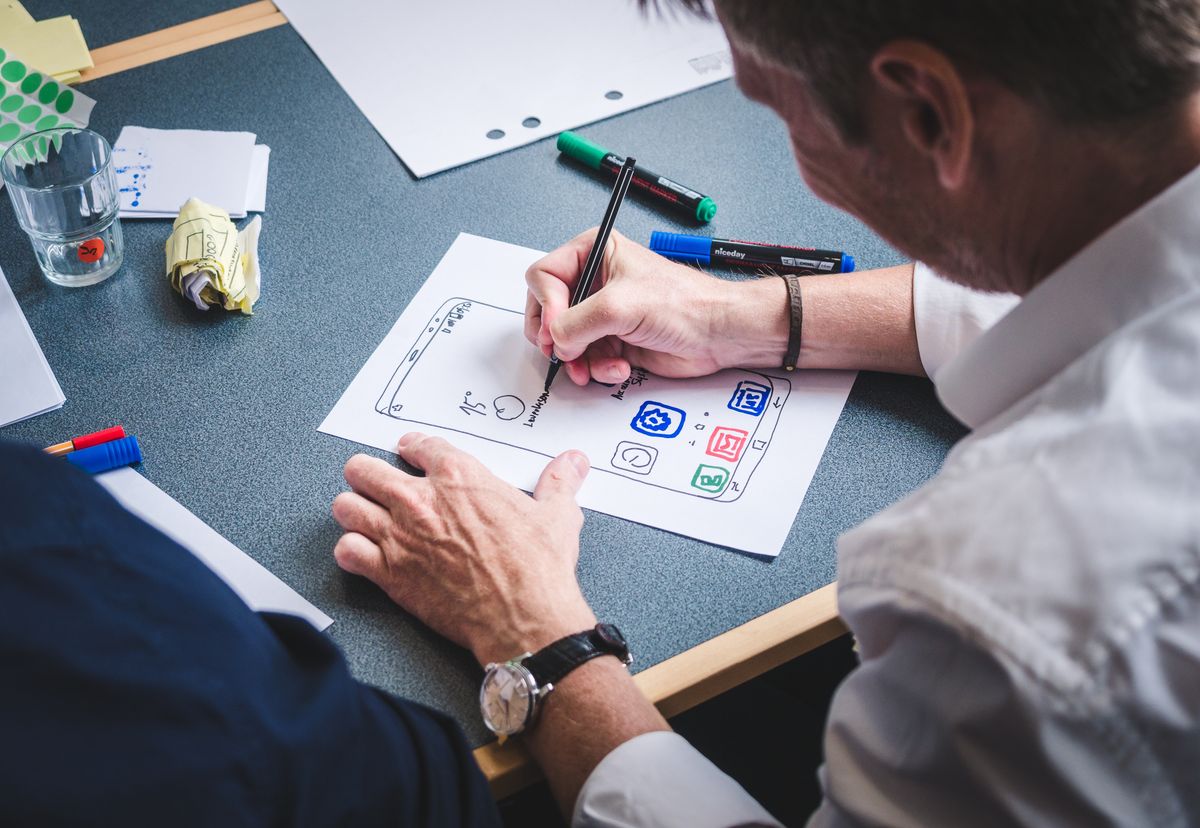
A low-fidelity prototype may use paper sketches, rough wireframes or simple clickable boxes. It is quick to change and makes it easier for people to challenge the structure because nobody mistakes it for finished work. Use it when the main questions concern order, content, terminology, responsibility or which route a user should take.
A high-fidelity prototype looks and behaves more like the intended application. It may include realistic styling, representative data, conditional steps and convincing interactions. Use it when people need to judge detailed behaviour, test a complex journey, present the idea to decision-makers or understand how several roles fit together.
Higher fidelity is not automatically better. It takes more time, can make stakeholders focus on colours instead of the process and may hide uncertainty behind a confident surface. Build the roughest version that can answer the current question, then add detail only when the next question genuinely needs it.
05
Prototype one complete journey, not a gallery of screens
A collection of attractive screens can still avoid the difficult parts. The useful unit of a prototype is a task with a beginning, decisions and an outcome. For the portal, that might begin when a customer opens a new job and end when the submission is complete, visible to the review team and ready for the next action.
Use representative information rather than empty boxes. A realistic document name, an awkward validation message and a case that needs more evidence reveal more than a perfect happy path. Include the moments where responsibility changes, information is missing or the user must understand a consequence before continuing.
This is also where the business process and interface meet. If nobody can agree who may approve a case, what happens after rejection or which record owns an uploaded document, the problem is not a button style. The prototype has exposed a decision that the real system would otherwise be forced to make silently.
06
Put the prototype in front of the people doing the work
A review meeting often turns into a guided demonstration. The person who designed the prototype explains each screen, avoids the awkward routes and answers questions before the user has time to struggle. That can be useful for discussion, but it is not the same as testing whether the journey makes sense.
Give each participant a short task and let them control the prototype. Ask a customer to submit a job with one missing document. Ask a reviewer to find the case, understand its status and request the missing evidence. Watch where they hesitate, what they expect to happen and which words they interpret differently. The quiet pauses are often more useful than a general comment that the design looks good.
Choose participants who represent the real roles, including people who are less familiar with the project. Record observations rather than debating every suggestion in the session. One person may prefer a different layout. Several people failing at the same step is stronger evidence that the journey needs attention.
07
Know what the prototype cannot prove
A prototype can show whether a proposed journey is understandable, whether important information is present and whether stakeholders are aligned around the same idea. It can expose missing states, unclear permissions, weak assumptions and requirements that looked simple only while they remained on paper.
It cannot prove that the production system is secure, scalable, accessible or reliable. It does not show that old spreadsheet data can be migrated cleanly, that a third-party integration will behave as expected or that a support team can operate the application after launch. Sample data may make a complicated rule appear easy because the difficult exceptions have not been included.
Write those boundaries down. A responsible prototype review should state what was tested, what was simulated and what remains uncertain. That protects the decision from becoming more confident than the evidence and gives the next phase a much clearer starting point.
08
Turn the findings into a go, change or stop decision
The end of a prototype is not a presentation. It is a decision. The business may continue because the core journey works and the remaining risks are understood. It may change the concept because testing exposed a simpler route. It may return to discovery because the users, rules or data are still unclear. It may stop because the value no longer supports the likely cost.
Capture the decisions, assumptions and unresolved questions while the sessions are fresh. Separate production requirements from ideas that can wait. If the project continues, use the learning to define the first useful release, its acceptance criteria and the technical investigations required before a reliable estimate can be made.
Stopping or reducing a project after a prototype is not failure. It is the prototype doing its job before a larger commitment is made. The cheapest code to replace is the code that has not been written yet.
09
Use a prototype when uncertainty is more expensive than learning
Not every software change needs a prototype. A small, familiar improvement inside an understood application may be quicker to specify and build directly. Prototyping earns its cost when several people hold different assumptions, the proposed process is new, the user journey carries risk or decision-makers need something tangible before approving a larger investment.
The best prototype is not the most polished. It is the smallest credible model that helps the business make a better decision. Start with one important question, build enough of one real journey to test it and invite the right people to use it without coaching.
If you are considering a new portal, internal system or customer application, I can help turn the idea into a focused prototype and a clearer production decision. The useful first conversation is not about screens. It is about what the business needs to know before it commits to the full build.
Useful questions
Before commissioning a software prototype, ask:
- Which expensive decision or risky assumption must this prototype test?
- Which one complete user journey will provide the strongest evidence?
- Who needs to use the prototype rather than only watch a demonstration?
- Which data, integrations and production behaviours are real, and which are simulated?
- What would make the business continue, change direction or stop after testing?
